Skip to content

For salons, tattoo studios, spas and more

Show your work. Get discovered. Turn interest into bookings.

Whether you run a tattoo studio, a spa or a makeup business, BurgundyBlend is here for you. Let new clients meet you through videos of your work in The Chair. Respond to what they are looking for in The Ask. When there is a fit, they can book—and you can manage the appointment and payment in the same place.

Eligible new businesses: 14 days free on Starter, then $9.99 CAD a month

Sign up and complete setup on the web. No app download required.

For business owners

Your business starts here.
Right in your browser.

Create your account, set up your business and manage the day ahead online. No app download required.

  1. Create your account

    Sign up with your business email. Already joined? Sign in and pick up where you left off.

  2. Add your business

    Add your business name, categories and location so your profile starts with the right details.

  3. Choose your plan

    Review the plan, eligible offers and renewal terms before confirming payment.

  4. Finish setup and submit

    Follow your checklist for hours and deposits, then submit your business for review.

Already started? Business sign in. Your saved setup is waiting for you.

Illustrative web dashboard. Your checklist reflects your business’s saved setup. Approval and deposit readiness are separate checks.

Discovery that leads somewhere

Your work starts the conversation.

The Chair helps people discover what you do. The Ask lets them tell you what they want. Booking and payment tools carry that connection into an appointment.

The Chair, our video feed

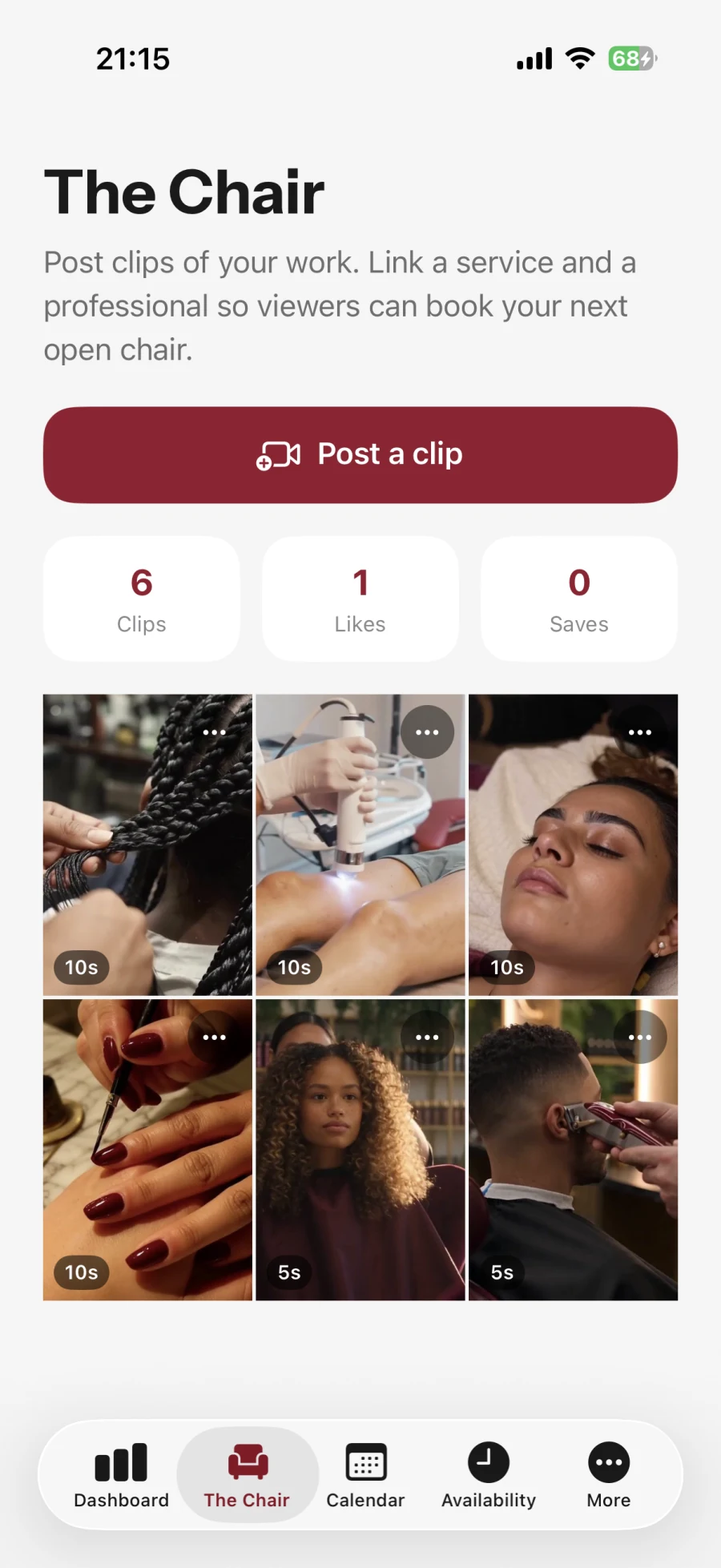
Post short clips of your work and they appear to customers near you, with your next free slot attached so they can book straight from the clip. It is how people find you by what you do rather than by knowing your name. Included on every plan.

The Ask: quote for work clients already want

Customers describe the work, their budget and their date window. Requests in your saved service categories and area appear in The Ask. Send a private price and appointment time; other professionals cannot see your quote. If the client chooses you, they continue through booking and any required deposit. Your business must be bookable, with payouts ready and a deposit of at least 10%, unless it is platform-seeded. Pro sees new requests first, Grow after ten minutes and Starter after twenty minutes.

Explore booking, team and payment tools

Messaging, without your own number

Once a booking is confirmed you and the client can message each other about that appointment: parking, what to bring, a patch test, running ten minutes late. It happens inside BurgundyBlend, so you are not handing your personal mobile number to somebody you have never met. The conversation opens when the booking is confirmed and closes two days after the appointment, so it never becomes an inbox you have to manage.

Deposits before the chair is held

Take none, or 10%, 20%, 50% or the full price, with a 24 or 48 hour cancellation window. Late cancellations and no-shows keep the deposit.

Or take the whole price up front

Set your deposit to 100% and your client pays in full when they book, so there is nothing to collect in person and nothing to chase. The platform booking fee stays flat, while card processing depends on the amount collected online. Review the payment breakdown before confirming.

Your own booking page

A page with your services, prices, hours and team. Put the link in your Instagram bio and clients book themselves.

Your day at a glance

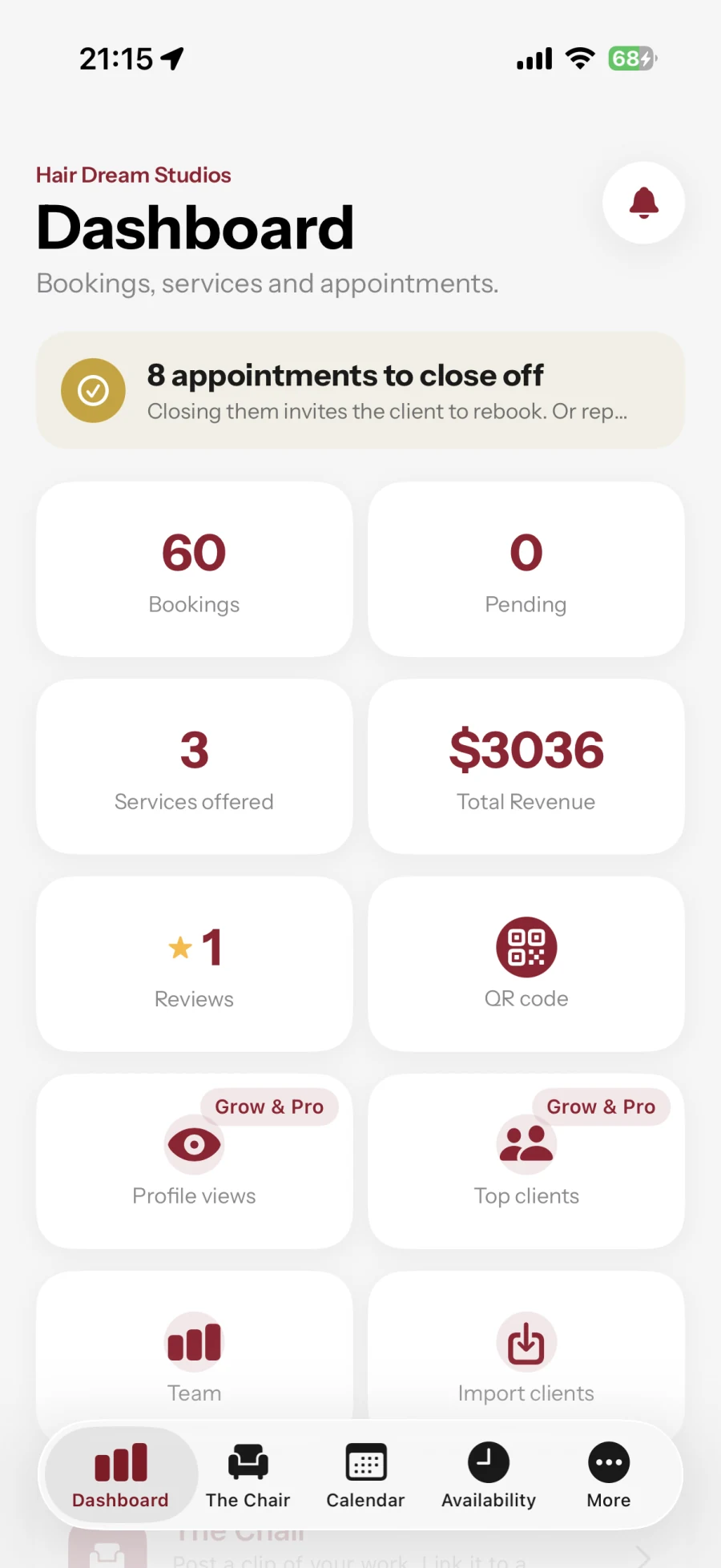
Open the app and the top of your dashboard tells you who is in the chair right now, who is next, and which appointments still need closing off. No hunting through lists to find out where you are.

A calendar that fills itself

Real availability, per professional. No more back and forth in DMs about what time you are free.

Paid out automatically

The deposit is held until you mark the appointment complete, then sent to your bank through Stripe.

No-show protection

If a client does not turn up, report it and keep the deposit. Repeat offenders are asked for a bigger deposit next time they book, at any business on BurgundyBlend, not just yours.

Reminders that reduce no-shows

Your client gets a confirmation and a reminder before the appointment, without you sending anything.

Know what happened last time

Open a booking and pull up that client’s private notes, colour formula, treatment history and result photos. The record belongs to your business and stays out of customer and staff views.

Book into the processing gap

Tell us the wait in the middle of a colour and we free that time for someone else. Your chair stops being held for eighty minutes when you are only working for forty five.

Close for a week without losing your hours

Mark a holiday, a closure, or one person off, and your normal week comes back on its own afterwards.

See the team split without running payroll

Record commission, chair rent, salary or no arrangement per person. The team report splits completed service revenue for commission, shows chair rent separately, and keeps every recorded tip on the professional’s side.

Give every stylist their own login

On Grow or Pro, invite each professional by email. They sign in as themselves to see their bookings, set their own hours and time off, update their profile and post their work to The Chair, without access to prices, payouts or other professionals’ bookings.

Bring your client list with you

Upload a CSV in the web console and preview every row before anything is saved. Duplicates and conflicts are called out, and an applied import can be undone as one job.

And take it away again

Download your full client list as a CSV whenever you want, including the day you decide to leave. No ticket, no waiting on support, no export fee.

Run up to three locations on one plan

One Pro subscription covers up to three locations, so a second and a third shop add nothing to what you pay. Create them in the web console, switch shops with one login, and see combined booking and revenue totals while each location keeps its own hours, team and payouts. Need more than three? Email support@burgundyblend.com and we will set it up with you.

Manage it from a computer

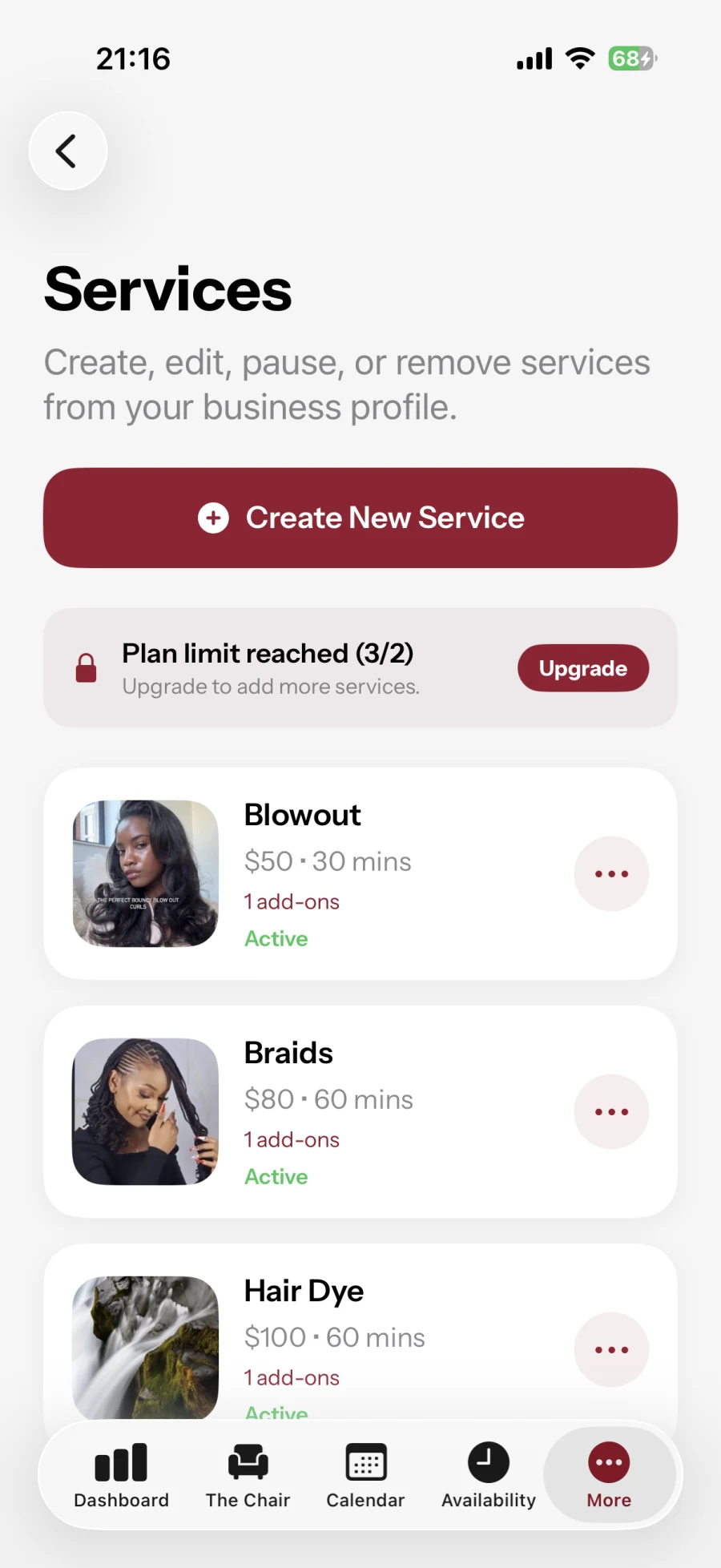
Services, prices, hours, your team and how they are performing, all editable in a browser.
Built for your business

Turn discovery into bookings. Keep the day running.

Manage the appointment after the connection: bookings, payments and client records support the work people came to you for.

3 strikes

A no-show record that follows the client

Miss three appointments in thirty days and that client is asked for a 50% deposit at every business on BurgundyBlend, not just the one they burned.

BurgundyBlend uses recorded booking history across the platform to apply its deposit rules. Customers can contact support if a record is incorrect.

In and out

Your client list is yours, including on the way out

Bring it from Fresha, Booksy, Square, Vagaro, Acuity, Timely, MindBody or SalonMonster. Preview every row, undo the whole import in one go if it looks wrong.

And download the lot again whenever you want, including the day you leave. We would rather you stayed because it works than because your clients are hostage.

80 to 45

Sell the time you spend waiting

A colour is maybe twenty minutes applying, thirty-five processing, twenty-five finishing. Tell us where the wait sits and that middle stretch goes back on sale.

An ordinary calendar holds your chair for all eighty minutes when you are only working for forty-five. That is a cut and blow-dry you could not take, every single colour.

Sealed

Work that comes looking for you

A customer posts the job, the budget and when they are free. You send one price for it, and nobody else can see what you offered.

Respond to requests that fit your skills and your diary. Your quote stays private between you and the client, who chooses whether to book.

For salon owners and teams · Web dashboard

Your salon. Your team. One place to manage it.

Give each professional a profile linked to your salon and their own login. Manage your team and multiple salons from the web dashboard.

A page for every professional

Show their photo, specialties and services under your salon. Clients can choose the professional they want when booking. This is a salon-linked profile, with bookings and payouts belonging to the salon.

Their own workspace. Your control.

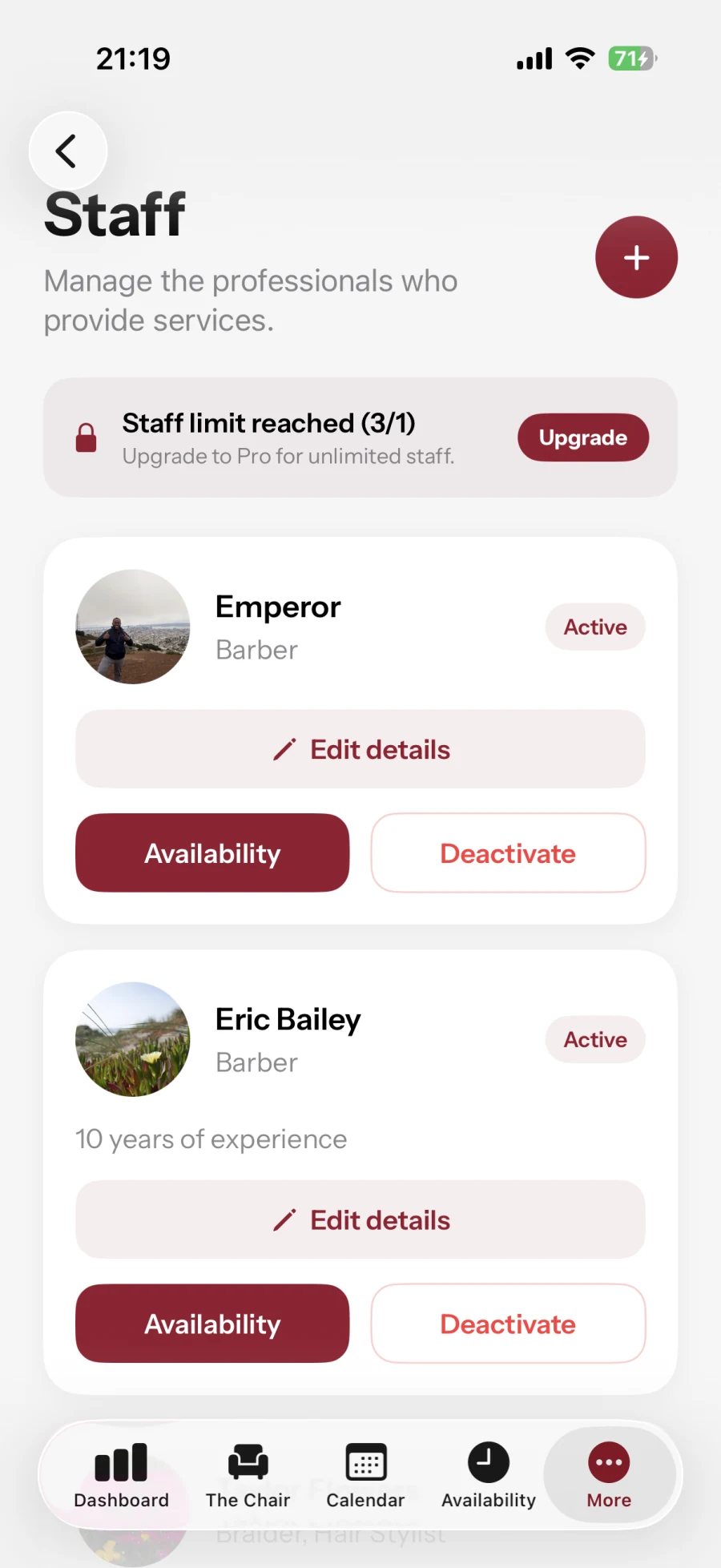
Invite staff by email on Grow or Pro. They see their own bookings and manage their hours, time off, profile and Chair clips. Prices, payouts and the rest of your team stay under your control. Revoke a login while keeping its profile and booking history.

Up to three salons on Pro

Create and switch locations with one owner login. Each keeps its address, hours, team and payout setup. Compare recorded bookings and revenue in a combined report, with currencies shown separately.

Grow covers three active professionals; Pro covers unlimited professionals and up to three locations on one plan. Team and multi-salon management are available on the web dashboard for now. These tools do not run payroll or create separate employee payout accounts.

What it costs

Plans from $9.99 CAD a month, with 14 days free. No commission on your service price. Your plan, booking-source fees and card processing are separate.

Your plan

Starter a month in CAD, after 14 days free

$9.99

Commission

Never a percentage of your work

0%

Bookings you bring through your link

No booking fee unless the customer was introduced through The Chair

$0.00

Chair-attributed bookings carry a flat $3.00 CAD fee, including later bookings by that customer with your business. Accepted Ask quotes carry a flat $4.00 CAD fee; the two fees do not stack. Card processing applies separately. These fees are absorbed by the business, not added to the customer's listed service price.

Compare Starter, Grow and Pro plans and see every fee.

Switching is the hard part

Bring your clients with you. Take them with you if you go.

The reason most salons stay where they are is the client list. So we made moving it in free, moving it out free, and offered to do the work ourselves.

8

Platforms we already read

Fresha, Booksy, Square, Vagaro, Acuity Scheduling, Timely, Mindbody and SalonMonster. Any other CSV with a name and a way to reach someone works too.

Any time

Your list downloads back out

One button gives you every client as a CSV, in the same shape we accept. A platform that is easy to join and hard to leave is telling you something.

We'll do it

Send us the file and we will move it

If you would rather not touch a spreadsheet, email the export to us and a person here will bring it across and check it with you before anything is saved.

Ask us to move your list

Switching without surprises

Bring the relationships first. Change the routine at your pace.

Moving a business is not one button. BurgundyBlend gives you a reviewable path for contacts, a separate login for each professional, and a clear boundary around what does and does not move.

  1. 01 · Export your contacts

    Start with a CSV from your current platform

    We read the export files from Fresha, Booksy, Square, Vagaro, Acuity Scheduling, Timely, Mindbody and SalonMonster, and any other CSV with a name and a way to reach someone. The importer is for names, email addresses, phone numbers and notes. It does not turn contacts into BurgundyBlend accounts or move already-confirmed appointments.

  2. 02 · Preview before saving

    Fix conflicts while nothing has changed

    You see valid rows, duplicates and conflicts before the apply button is available. If you applied the wrong file, the completed import offers an explicit undo for that job.

  3. And it leaves the same way

    Download your client list whenever you want

    One button in your business settings gives you the whole list as a CSV, in the same shape we accept. It opens in Excel, and it imports into us or into anybody else. A platform that makes it easy to arrive and hard to leave is telling you something, and we would rather not be that.

  4. 03 · Invite the team

    Let stylists work under their own names

    Each invite connects one verified email to one staff record. Their workspace stays focused on their bookings, availability, profile and Chair posts. Owner settings remain yours.

  5. 04 · Set the real week

    Open only the time you can actually sell

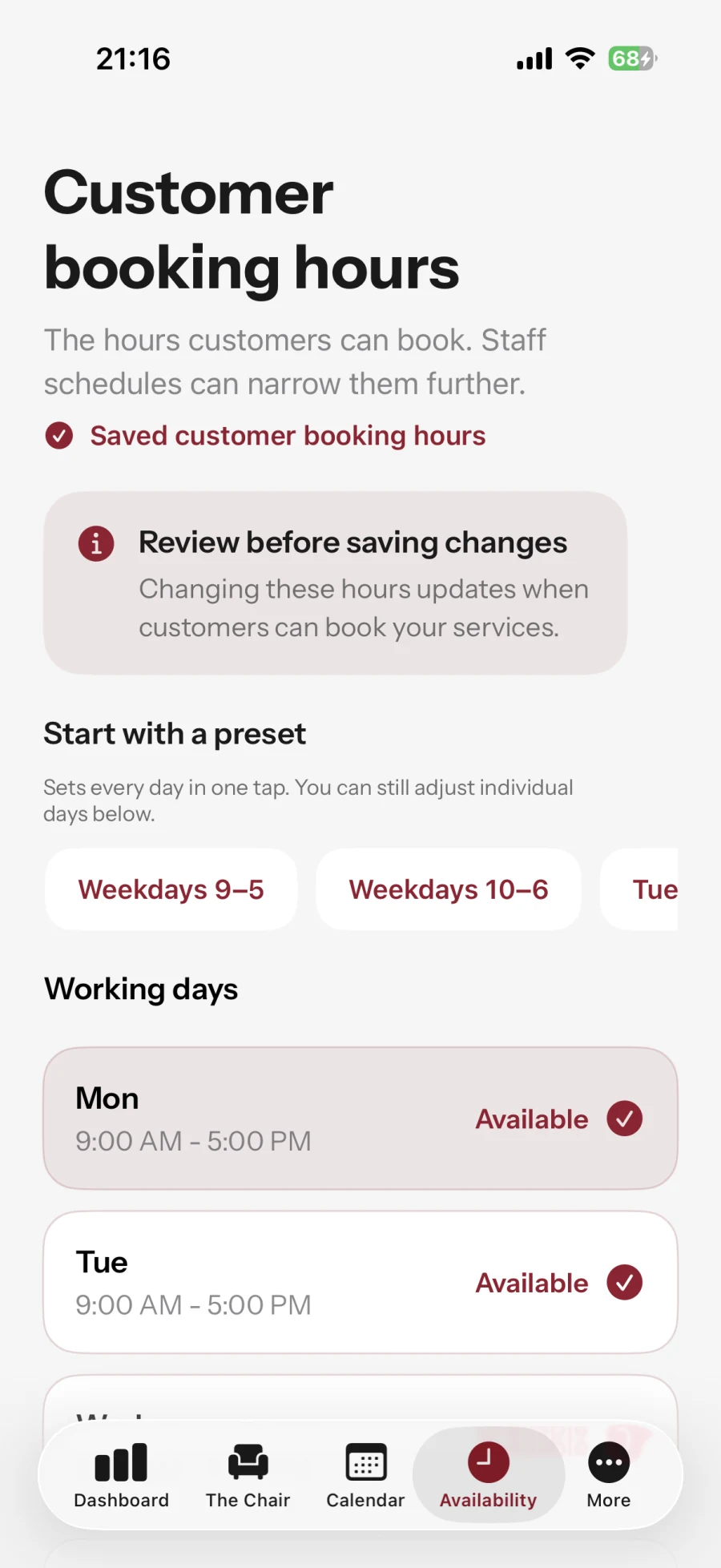
    Set weekly hours, add one-day closures or staff time off, and describe processing gaps inside longer services. Your public availability follows those rules automatically.

Your client data

Private working records stay private

Notes, formulas and client photos are business working data. Customers and staff cannot browse them, and private photos are fetched through authenticated storage rather than exposed as public portfolio links.

If you leave

A plan is not a lock-in

Paid plans can be cancelled at any time. Account deletion is separate and some financial records must remain for refunds, disputes and tax history, so we publish exactly what is removed and what is retained.

Read what account deletion does

14 days free. Start today.

Take real bookings for 14 days before you pay anything. After that Starter is $9.99 CAD a month, with no commission and no percentage of your work, ever.

Set up your business online

Take it with you, if you like

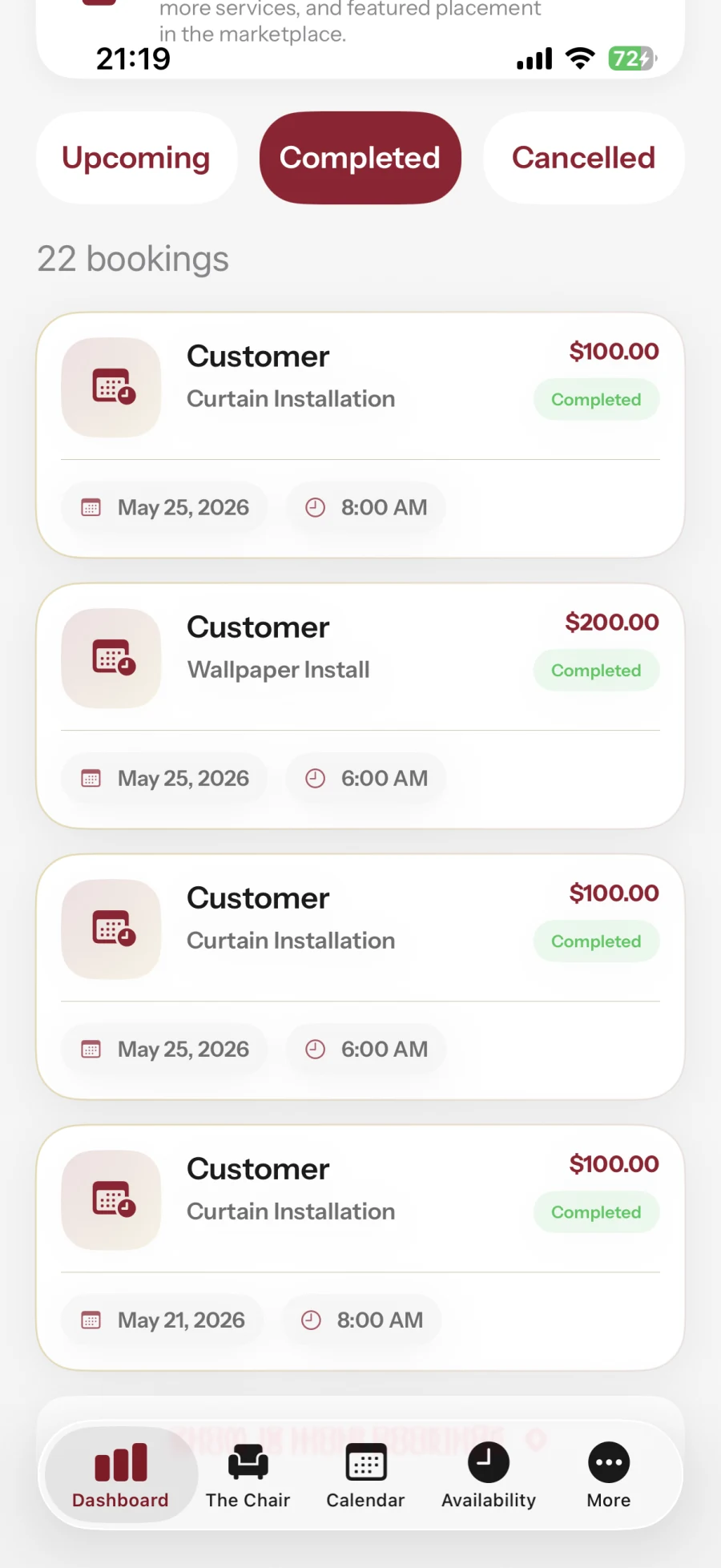
Your optional iOS companion: services, team, hours and appointments. Start and complete business signup on the web.

BurgundyBlend business dashboard showing appointments, team and revenue totals
Business dashboard
BurgundyBlend business service editor showing services, prices and durations
Manage services
BurgundyBlend staff management with professional profiles and individual availability
Manage your team
BurgundyBlend customer booking hours with working days and saved schedules
Set booking hours
BurgundyBlend business completed appointments with service amounts
Manage bookings
BurgundyBlend business Chair library with six published clips
Showcase your work